노트
Jenkins에 GitLab 연동 설정하기 — API token과 저장소 인증 자격증명 두 개가 필요하다
이 글은 한국어로만 있습니다
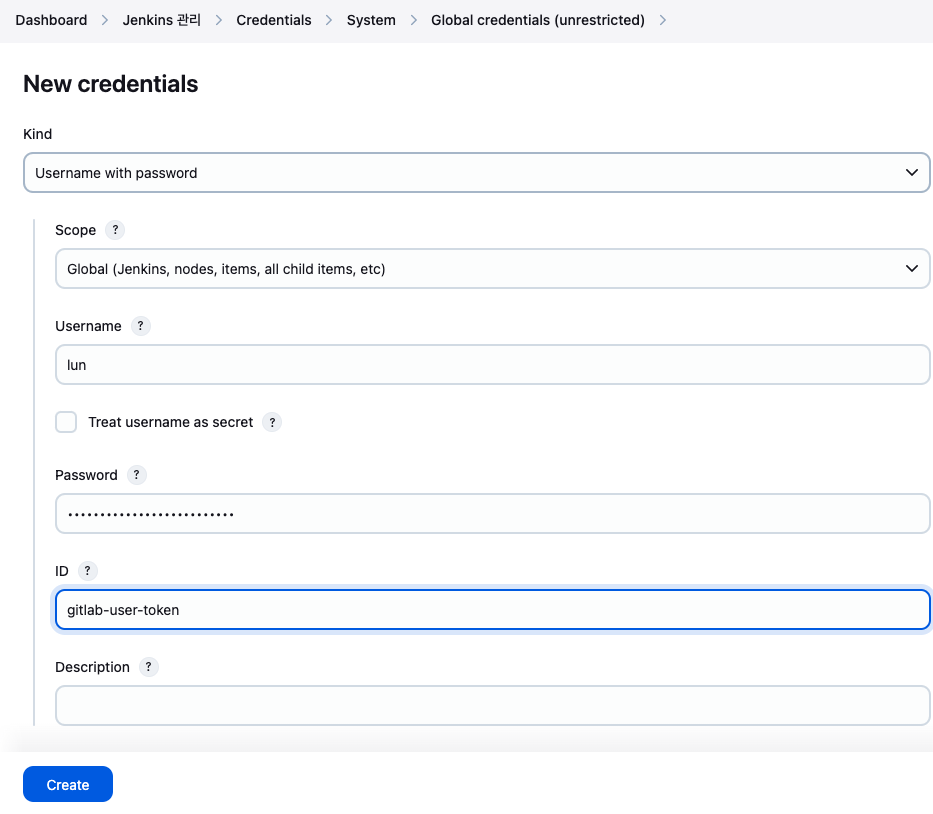
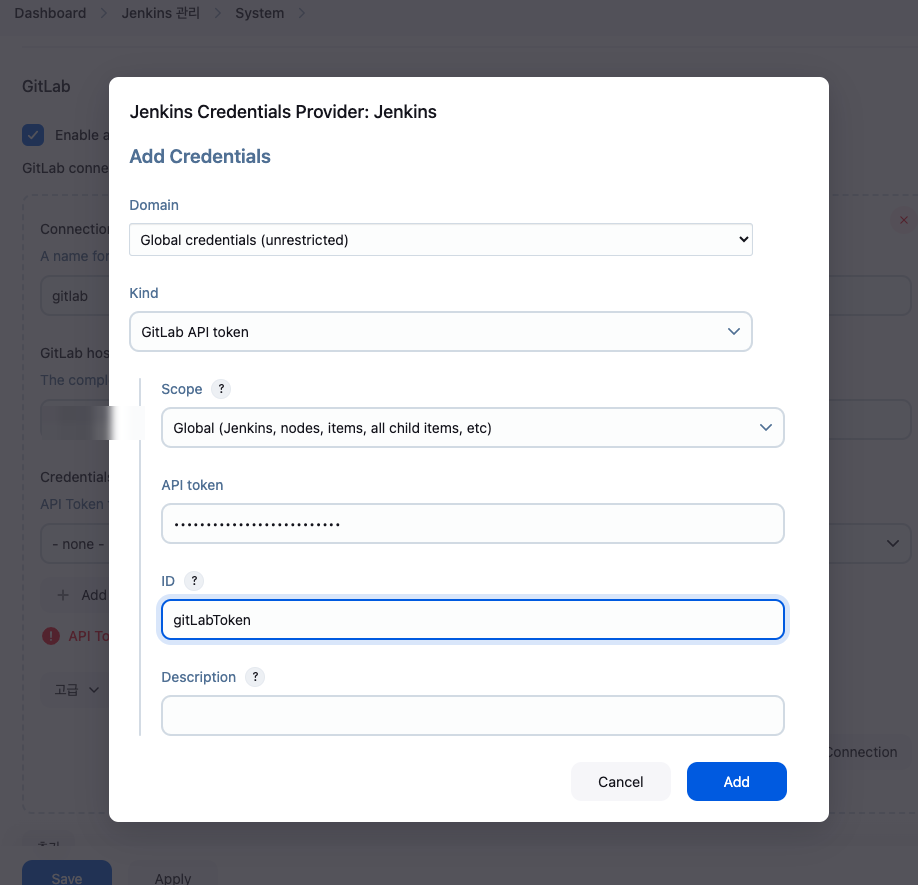
GitLab에서 api·read_user·read_repository scope로 personal access token을 발급한 뒤, Jenkins에 두 번 등록한다. 하나는 Jenkins 관리 > System의 GitLab 섹션에 GitLab API token 종류로(연결 확인용), 다른 하나는 Credentials > Global credentials에 Username with password 종류로(Job의 git clone 인증용) 넣는다. 이 둘을 하나로 착각하면 Job에서 저장소 인증이 실패한다.
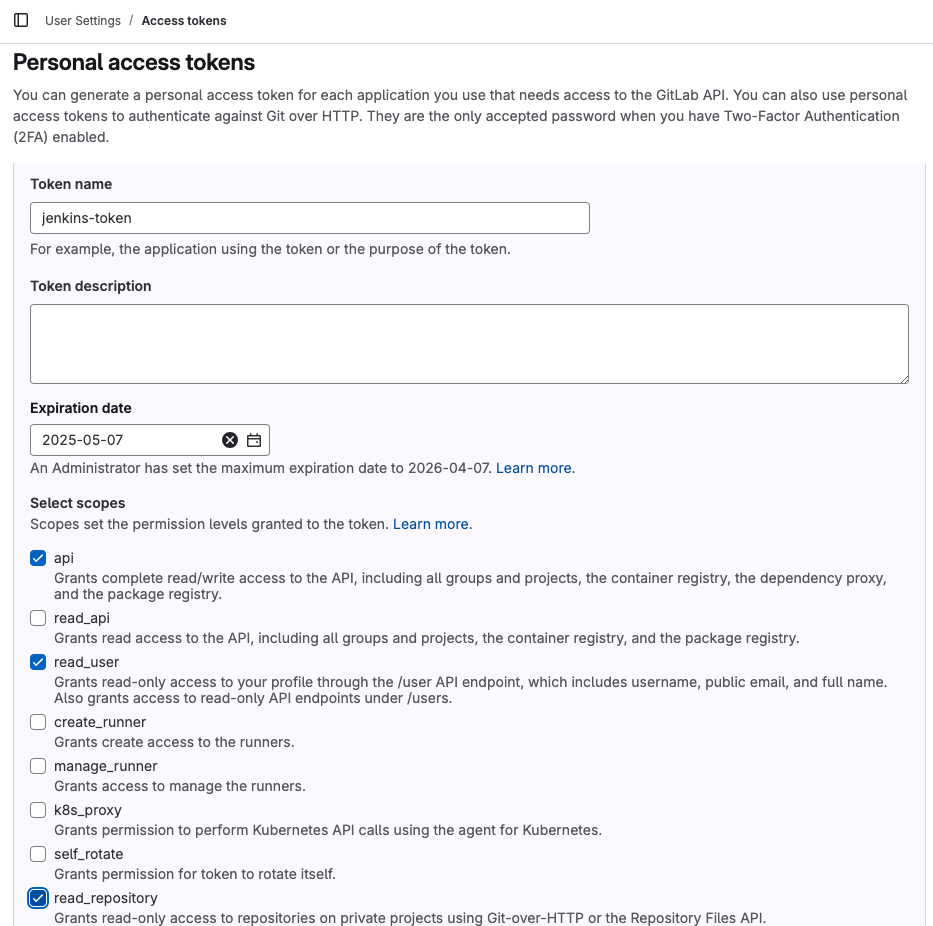
GitLab Personal Access Token 발급
- GitLab > User Settings > Access Tokens
- Token name:
jenkins-token - Expiration date
- Select scopes
- api
- read_user
- read_repository
Jenkins에 GitLab Credentials 추가
- Jenkins > Jenkins 관리 > System
- Kind
- Secret:
${GitLab Token} - ID: GitLabToken
Jenkins에 GitLab Credentials 추가
추후 Jenkins job 생성 시 git repo 인증에 사용
- Jenkins > Jenkins 관리 > Credentials > System > Global credentials
- Kind: Username with password
- Secret:
${GitLab Token} - ID: gitlab-user-token